Ergonomics: Make Your Home and Office Comfortable
When you sit or stand on furniture that doesn’t fit your body, you feel it right away – sore back, tight shoulders, or rubber‑neck. The good news is that a few simple changes can turn any room into a place that supports you instead of pulling you down.
Ergonomic Seating Tips
The most obvious place to start is your seat. A sofa that’s too low forces you to hunch, while a chair that’s too hard makes you ache after a short while. Look for a seat height that lets your feet rest flat on the floor and your knees form a 90‑degree angle. If the sofa is low, add a sturdy footstool or an ottoman you can slide under the armrest.
Back support matters just as much as height. Choose a couch or chair with a slight curve that follows the natural shape of your spine. If you can’t find a perfect match, a small lumbar pillow does the trick – place it where the small of your back feels the most pressure.
Armrests should be at a height where your elbows stay close to a 90‑degree angle when you type or read. Too high and your shoulders creep up; too low and you lean forward. Adjustable chairs work best, but if you have a fixed piece, a simple cushion can raise the armrest to the right spot.
Ergonomic Layout for Everyday Spaces
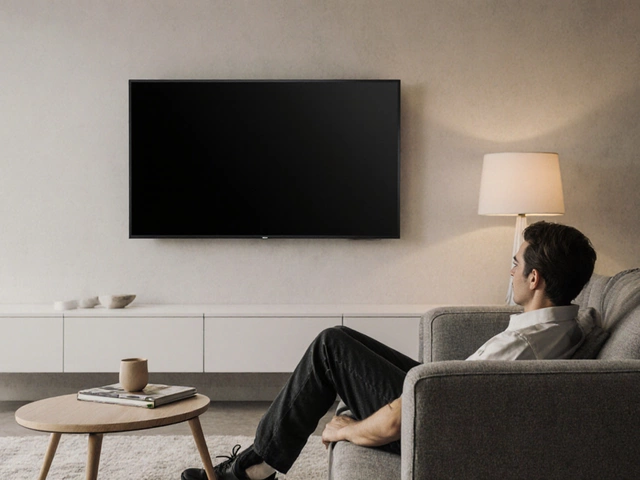
Where you put your furniture can be just as important as the furniture itself. In a living room, keep the TV or main focal point at eye level when you’re sitting. A common mistake is mounting a screen too high, which makes you look up and strain your neck. Measure the distance from the floor to your eyes while seated and aim for a TV height that matches.
Paths matter too. Make sure there’s at least a 24‑inch clearance between pieces so you can move without twisting or stepping over things. A cramped layout forces you into awkward bends that add up over the day.
For home offices, position your monitor about an arm’s length away and the top of the screen at or slightly below eye level. Use a separate keyboard and mouse so you can keep your wrists straight. If you work on a laptop, consider a laptop stand and an external keyboard – it lifts the screen and lets your hands stay level.
Don’t forget lighting. Glare on a screen or a bright spot on the wall forces you to squint, which can lead to eye strain and bad posture. Position lamps so the light hits your work surface without reflecting off the screen.
Even the floor matters. Hard wood or tile can be hard on your feet if you stand a lot. Adding a rug or a floor mat in key spots reduces fatigue and gives your joints a bit of cushion.
Finally, listen to your body. If a piece feels uncomfortable after just a few minutes, it probably isn’t right for you. Small tweaks – a different cushion, a lower coffee table, a repositioned TV – can make a huge difference without buying new furniture.
Ergonomics isn’t about expensive gadgets; it’s about matching your space to how you move and rest. Apply these simple ideas and you’ll notice less ache, more productivity, and a home that feels as good as it looks.